The best dual monitor arms depend on your screen size and weight, desk construction, and how much repositioning your work requires. These five mounts cover compact displays, tall stacked layouts, heavier ultrawides, and tool-free adjustments, so check compatibility before choosing.
Quick Top Products
HUANUO FlowLift Dual Monitor Stand

- Supports 13–32-inch screens, with 4.4 to 19.8 lbs per arm.
- Allows tilt, swivel, rotation, and height adjustment up to 15.75 inches.
- Attaches with a C-clamp or grommet base and routes cables along the arms.
Best For: People with mid-sized monitors who want full-motion adjustment and a clamp or grommet mount.

HUANUO Vertical Dual Monitor Stand
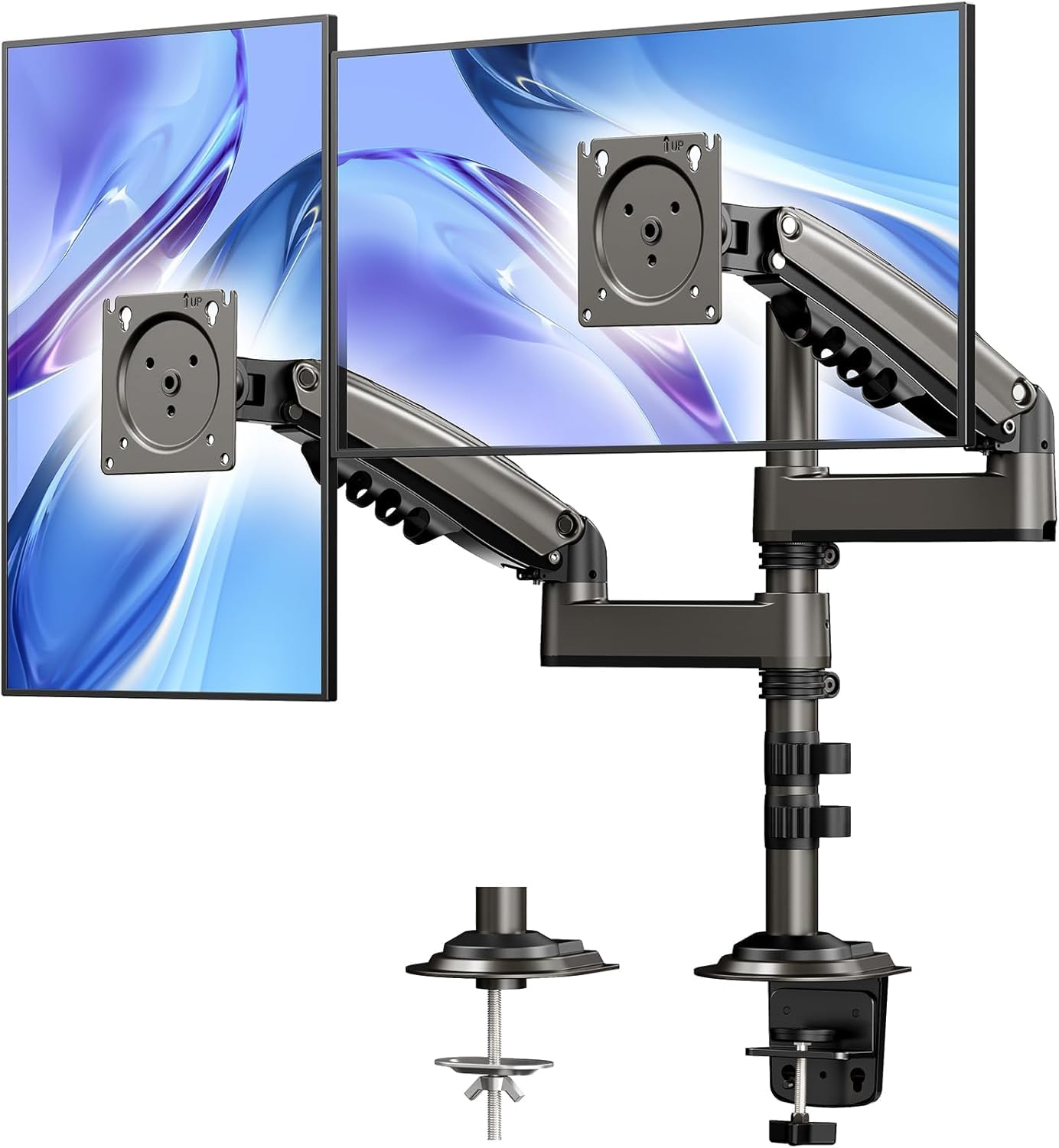
- Supports monitors up to 32 inches and 19.8 lbs each, with compatible VESA holes.
- The extension raises monitors up to 25.19 inches.
- Offers C-clamp or grommet mounting and integrated cable management.
Best For: Users who want vertically stacked screens and need a taller mounting position.
HUANUO HNDS7 Dual Monitor Stand
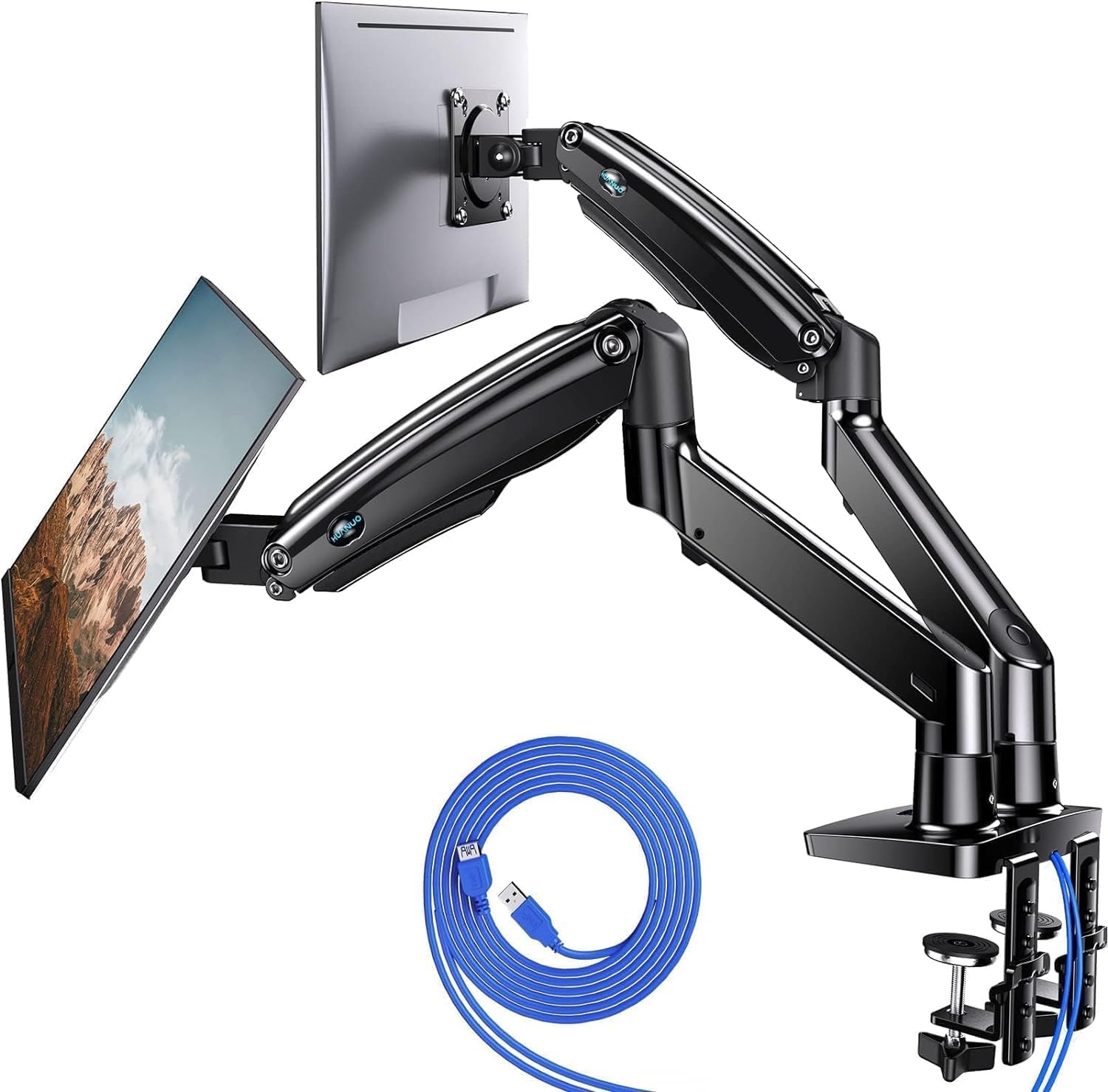
- Supports two 13–40-inch screens up to 26.4 lbs per arm.
- Arms raise to 21.1 inches and extend to 25.59 inches.
- Includes two USB ports and a 5.25 ft USB cable.
Best For: People pairing heavier monitors who want USB ports at the mount and longer arm reach.
HUANUO FlowLift Pro Dual Monitor Mount
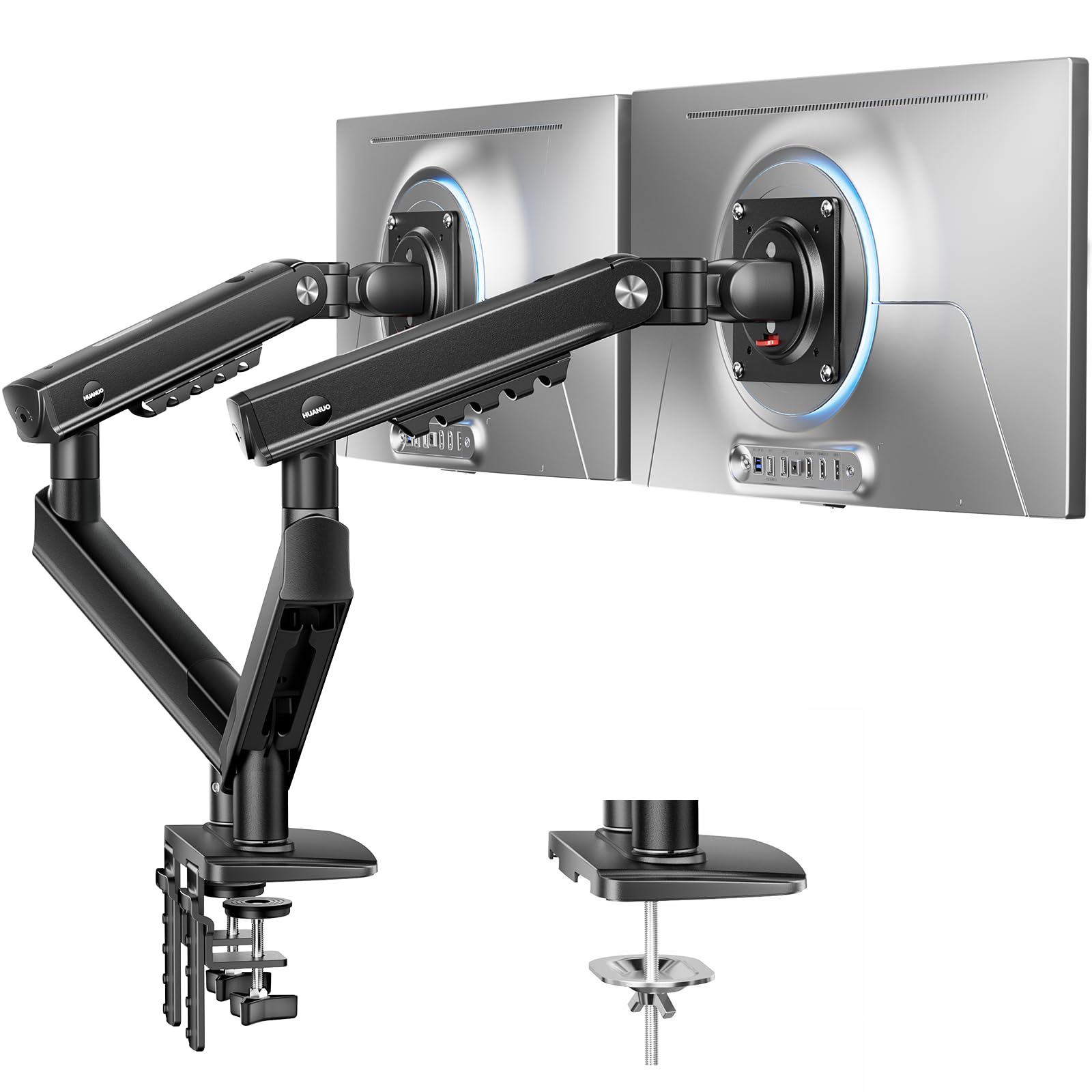
- Fits 13–27-inch monitors weighing 4.4–15.4 lbs each.
- Uses a tool-free InstaMount VESA plate for monitor attachment.
- A PrecisionView window provides visual feedback during tension adjustment.
Best For: Users with lighter 13–27-inch screens who value quick VESA attachment and visible tension adjustment.
HUANUO TitanLift Heavy Duty Monitor Arm
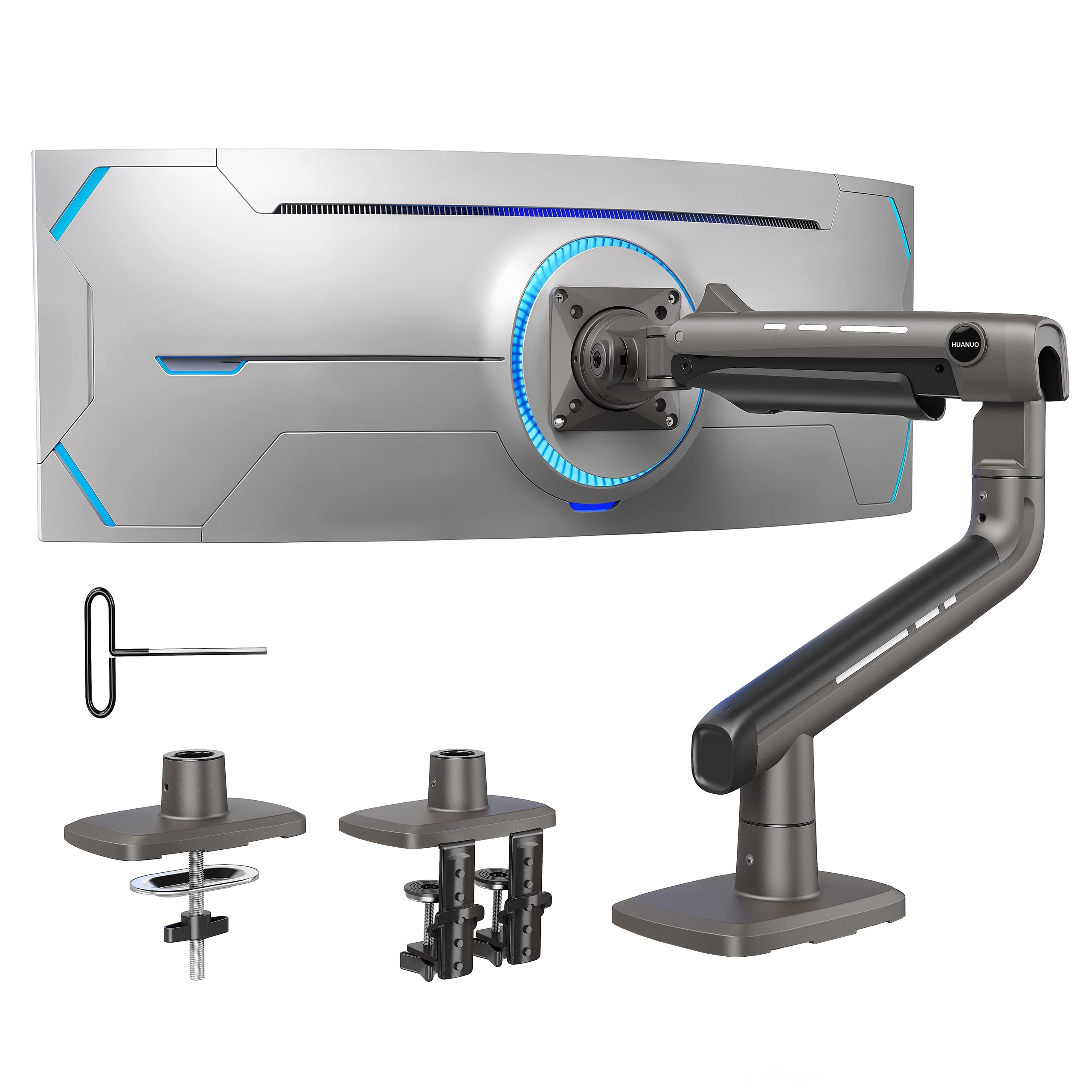
- Supports one 17–49-inch ultrawide monitor weighing 6.6–44 lbs.
- Offers extension up to 22.5 inches and height adjustment up to 19.6 inches.
- Includes a dual C-clamp and cable management.
Best For: A single large ultrawide monitor user who prefers one screen over a pair of displays.
Broad Range With Two Mounting Options
HUANUO FlowLift™ Dual Monitor Stand, Fully Adjustable Gaming Monitor Desk Mount for 13–32″ Computer Screens, Full Motion VESA 75x75/100x100 with C-Clamp & Grommet Base, Each Arm Holds 4.4 to 19.8 lbs
The HUANUO FlowLift supports two 13–32-inch screens, with each arm rated for 4.4 to 19.8 lbs. It offers tilt, swivel, and rotation adjustments, plus up to 15.75 inches of height adjustment. A C-clamp or grommet base gives you two ways to attach it, and built-in cable guides help keep wires along the arms.
Before buying, confirm that both monitors have compatible VESA holes and fall within the weight range. Desk fit needs a careful check too: the notes recommend wooden desks, specify a thickness range, and warn that underside beams can interfere with installation.
Best For: People with mid-sized monitors who want full-motion adjustment and a clamp or grommet mount.
| Pros | Cons |
|---|---|
|
|
Choose this model if your screens fit its per-arm range and you want to adjust their position throughout the day. Its rotation and height adjustment suit work that alternates between documents, calls, or portrait viewing, while the cable guides keep wires routed along the arms.
The main buying check is the desk: confirm its material and thickness, and make sure the underside leaves room for the clamp. Also verify that each monitor has 75x75mm or 100x100mm VESA holes and weighs within the supported range.
Tall Stacked Screen Positioning
HUANUO 17-32 Inch Dual Monitor Stand, Vertical Dual Monitor Mount, Monitor Stand 2 Monitors, Ergonomic Adjustable Tilt/Swivel/Rotate, Weight Max 19.8 lbs, VESA 75/100mm
This HUANUO mount places two monitors on a vertical arrangement and includes an extension that raises them up to 25.19 inches. Its arms support screens up to 32 inches, weighing 4.4 to 19.8 lbs each, with 75x75mm or 100x100mm VESA patterns.
The mount provides tilt, swivel, and full rotation adjustments, along with cable management. It attaches by C-clamp or grommet to compatible solid wood or metal desks; glass desks are excluded.
Check monitor weight and VESA fit, then measure the desk thickness and inspect the underside before committing to a stacked layout.
Best For: Users who want vertically stacked screens and need a taller mounting position.
| Pros | Cons |
|---|---|
|
|
This is the clearest fit for a stacked arrangement when raising both displays is a priority. The extra height and full rotation give you room to set a vertical viewing layout, and cable management helps keep leads tidy.
It supports monitors up to 32 inches, but each screen must stay within the specified weight and VESA limits. Check the desk material, thickness, and mounting clearance; the mount is not for glass desks.
A side-by-side setup may be better served by one of the horizontal arm designs in this group.
Heavier Screens With Built-In USB
HUANUO Dual Monitor Stand for 13″–40″, Premium Dual Monitor Mount with USB, Height Adjustable Monitor Stand for 2 Monitors, VESA Mount with Clamp/Grommet Base, Holds 26.4lbs per Arm, HNDS7
The HUANUO HNDS7 is designed for two 13–40-inch displays weighing up to 26.4 lbs per arm. Its aluminum arms can rise up to 21.1 inches and extend up to 25.59 inches, while tilt, swivel, and rotation allow further positioning.
A dual C-clamp or bolt-through grommet mount fits desks up to 3.54 inches thick, with a specified hole diameter for grommet installation. Two built-in USB ports and a 5.25 ft USB cable add convenient charging access.
This is a larger-capacity option, but confirm your monitor’s VESA pattern and the desk opening before choosing the grommet mount.
Best For: People pairing heavier monitors who want USB ports at the mount and longer arm reach.
| Pros | Cons |
|---|---|
|
|
Choose the HNDS7 if your displays are heavier or larger than the limits of more compact arms, and you value USB access at the mount. The longer reach can help on a deeper desk, while the two mounting methods offer flexibility.
Confirm each screen’s VESA pattern and weight, then check whether the desk supports clamp or grommet installation. The USB ports connect through the included cable, so plan where it will reach; the supplied details do not explain its power requirements.
Tool-Free VESA Attachment for Smaller Screens
HUANUO FlowLift Pro Dual Monitor Mount for 13–27" Screens, MechaSpring Monitor Stand, Adjustable Monitor Arms for 2 Monitors with Tilt/Swivel/Rotation, Tool-Free VESA Mount, Max Load 15.4 lbs
The FlowLift Pro is a dual arm for two 13–27-inch monitors, each weighing between 4.4 and 15.4 lbs and using a 75x75mm or 100x100mm VESA pattern. Its tool-free InstaMount VESA plate is designed to make attaching or removing a monitor quicker, while a PrecisionView window shows tension adjustment through an indicator.
The notes recommend wooden desks within a stated thickness range and caution about irregular desk edges. They also describe a dual C-clamp and LockSteady adjustment system.
For this mount, confirm screen weight and desk fit first, especially if your monitors sit near either end of the supported range.
Best For: Users with lighter 13–27-inch screens who value quick VESA attachment and visible tension adjustment.
| Pros | Cons |
|---|---|
|
|
This model suits a lighter dual-display setup where frequent attachment or tension tuning matters. The tool-free VESA plate and visual tension indicator are its defining convenience features, while the LockSteady system is aimed at keeping screens positioned during adjustments.
Its supported screen range is narrower than the larger-capacity arms here, so check both monitors’ dimensions and weights carefully. Desk compatibility deserves equal attention: the recommendation is for wooden desks, and irregular edges call for extra caution.
Single Arm for One Large Ultrawide
HUANUO TitanLift Heavy Duty Monitor Arm for Screens up to 49", Holds 44 lbs, Aluminum Ultrawide Screen Monitor Mount, Fully Adjustable Single Gaming Desk Mount with Dual C-Clamp, Max VESA 100x100mm
The TitanLift is a heavy-duty single monitor arm, not a dual-screen mount. It supports one 17–49-inch screen weighing 6.6 to 44 lbs, with 75x75mm or 100x100mm VESA holes.
The arm offers tilt, swivel, rotation for screens up to 35 inches, and extension up to 22.5 inches; height adjustment reaches 19.6 inches from the desk surface to the VESA mount center. It attaches to compatible wooden desks with a dual C-clamp, and cable management keeps wires organized.
Because this roundup focuses on dual monitor arms, choose it only if a single ultrawide better matches your setup than two separate displays.
Best For: A single large ultrawide monitor user who prefers one screen over a pair of displays.
| Pros | Cons |
|---|---|
|
|
This arm belongs in a dual-monitor buying decision only if you are considering replacing two displays with one ultrawide. It has substantial screen-size and weight support, plus a wide range of positioning adjustments.
Its single-screen design is the key tradeoff: it cannot mount two monitors. Check desk material and thickness, VESA fit, and the rotation limit for your screen size before buying.
For a true two-monitor setup, one of the four dual-arm models in this roundup is the relevant choice.
How to Choose Dual Monitor Arms
How We Picked the Best Dual Monitor Arms
We focused on what determines fit and layout for a two-screen desk: supported screen size and weight per arm, VESA pattern, adjustment range, and desk mounting. The selected mounts cover distinct needs, including compact lighter displays, vertically stacked screens, heavier monitors with USB access, and a tool-free VESA connection.
One supplied arm supports a single ultrawide rather than two screens, so it is included with that limitation made clear for shoppers weighing a one-screen alternative.
Before choosing, check both monitors separately. A pair can look compatible by size while one display falls outside the arm’s weight range or lacks the required VESA holes.
Desk material, thickness, underside clearance, and any grommet opening also affect whether a clamp or bolt-through base will fit.
Comparing Dual Monitor Arm Designs
The most visible difference is layout. The vertical HUANUO mount stacks screens and raises them higher, while the other dual models use arms that can position monitors across the desk.
For lighter displays from 13 to 27 inches, the FlowLift Pro adds a tool-free VESA plate and a visual tension indicator. The original FlowLift supports screens up to 32 inches and includes tilt, swivel, rotation, and two mounting methods.
The HNDS7 is the option for larger or heavier displays among the dual mounts, with arms that extend farther and USB ports built into the stand. Its included USB cable should reach your desk connection point.
The TitanLift takes a different path: it supports one large ultrawide, so compare it only if a single-screen workspace could replace your two-monitor plan.
| Product | Standout features | Best for |
|---|---|---|
| HUANUO FlowLift Dual Monitor StandCheck Price |
| People with mid-sized monitors who want full-motion adjustment and a clamp or grommet mount. |
| HUANUO Vertical Dual Monitor StandCheck Price |
| Users who want vertically stacked screens and need a taller mounting position. |
| HUANUO HNDS7 Dual Monitor StandCheck Price |
| People pairing heavier monitors who want USB ports at the mount and longer arm reach. |
| HUANUO FlowLift Pro Dual Monitor MountCheck Price |
| Users with lighter 13–27-inch screens who value quick VESA attachment and visible tension adjustment. |
| HUANUO TitanLift Heavy Duty Monitor ArmCheck Price |
| A single large ultrawide monitor user who prefers one screen over a pair of displays. |
Checking Monitor and Desk Fit
Start with each screen’s VESA pattern and weight, then compare the monitor size with the mount’s stated range. Do not assume the size limit alone guarantees fit.
For example, the FlowLift Pro has a lower per-arm weight ceiling than the HNDS7, while the HNDS7 supports monitors up to 40 inches. The stacked mount and FlowLift cover up to 32 inches, but they differ in layout and height options.
Next, check the desk. Some mounts recommend wooden surfaces, and glass desks are specifically unsuitable for the vertical model and the FlowLift.
Thickness limits vary, and a crossbeam or panel under the desktop can obstruct a clamp. For grommet installation, measure the opening where required and check that the underside is accessible for the fastener.
Choosing Adjustability for Your Workday
Think about how often you move the screens and what positions you use. Tilt and swivel help angle displays toward your chair, while rotation supports portrait viewing when the monitor and task suit it.
A higher extension can help form a stacked arrangement, whereas longer arms provide more reach across or behind a desk. Check whether the stated motion applies to your monitor size; the TitanLift’s rotation is specified for screens up to 35 inches.
Desk organization can also shape the choice. Cable management appears across the dual mounts, and the HNDS7 adds USB ports at the stand.
The FlowLift Pro’s visible tension indicator and tool-free VESA plate focus on setup convenience. Match these details to the way you use your displays instead of treating every adjustment or extra port as necessary.
Which Dual Monitor Arm Fits Your Setup?
Choose the stacked HUANUO stand when vertical placement and added height are priorities. Consider the FlowLift Pro for lighter, smaller monitors and a tool-free attachment process; choose the original FlowLift when you need a broader screen range with clamp or grommet installation.
The HNDS7 is the candidate for larger and heavier dual screens or built-in USB access.
The TitanLift is for a different configuration: one ultrawide rather than two monitors. For any option, compare the exact weight and VESA details of both screens, then verify desk material, thickness, and mounting clearance.
Those checks determine whether a dual monitor arm will fit your actual workspace.