The best microphones for video calls make your voice easier to hear and offer controls that suit your desk, computer, and call habits. Choose from simple USB desktop mics, boom-arm kits, or flexible USB/XLR models, and check the connection and placement details that matter for your setup.
Quick Top Products
FIFINE K683A USB Desktop Microphone

- USB plug-and-play setup works with Mac and Windows computers.
- Gain, mute, and headphone monitoring controls are built in.
- Includes a foldable tripod stand and detachable pop filter.
Best For: People who want gain, mute, and headphone monitoring close at hand for computer meetings.

FIFINE K669B USB Microphone

- USB plug-and-play connection includes a 5.9-foot cable.
- The cardioid capsule focuses on the voice in front of the mic.
- A volume knob and tripod stand are built in or included.
Best For: Budget-minded callers who want a basic USB mic with a desktop tripod and onboard volume knob.
MAONO DGM20 USB Gaming Microphone
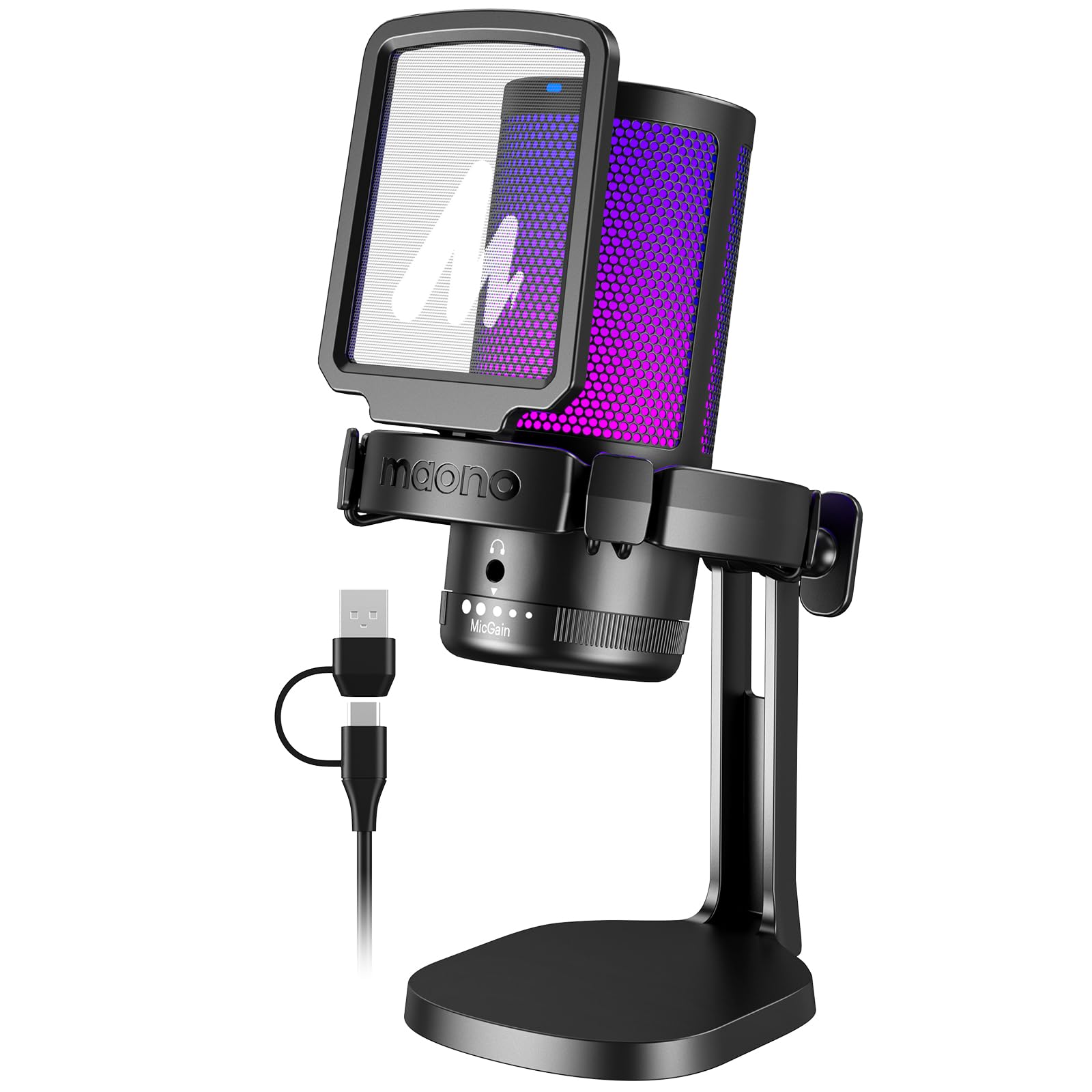
- A one-key noise-cancellation function is available, with software control on Windows.
- The cardioid pattern focuses on sound from in front of the mic.
- Includes gain control, mute, and headphone monitoring.
Best For: Windows users who want a USB mic with adjustable noise cancellation and a headphone-monitoring jack.
FIFINE AmpliGame A6T USB Gaming Microphone Kit
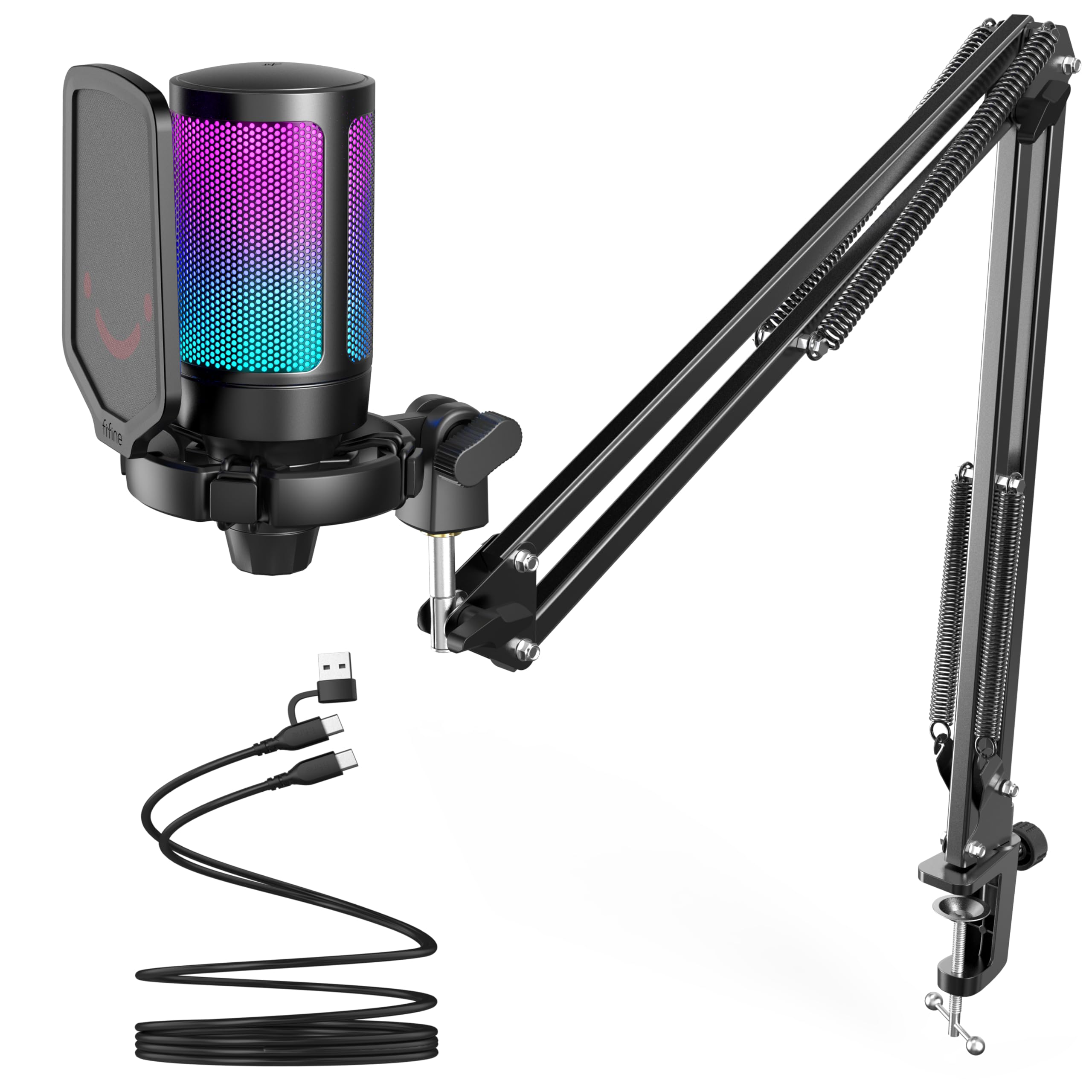
- USB plug-and-play compatibility includes Windows, Mac, and PS4/PS5.
- The boom arm can move into use and fold away.
- Includes touch mute, a volume knob, pop filter, and shock mount.
Best For: Callers who want to bring a USB mic closer to their voice and fold it away after meetings.
FIFINE T683 USB Microphone Kit
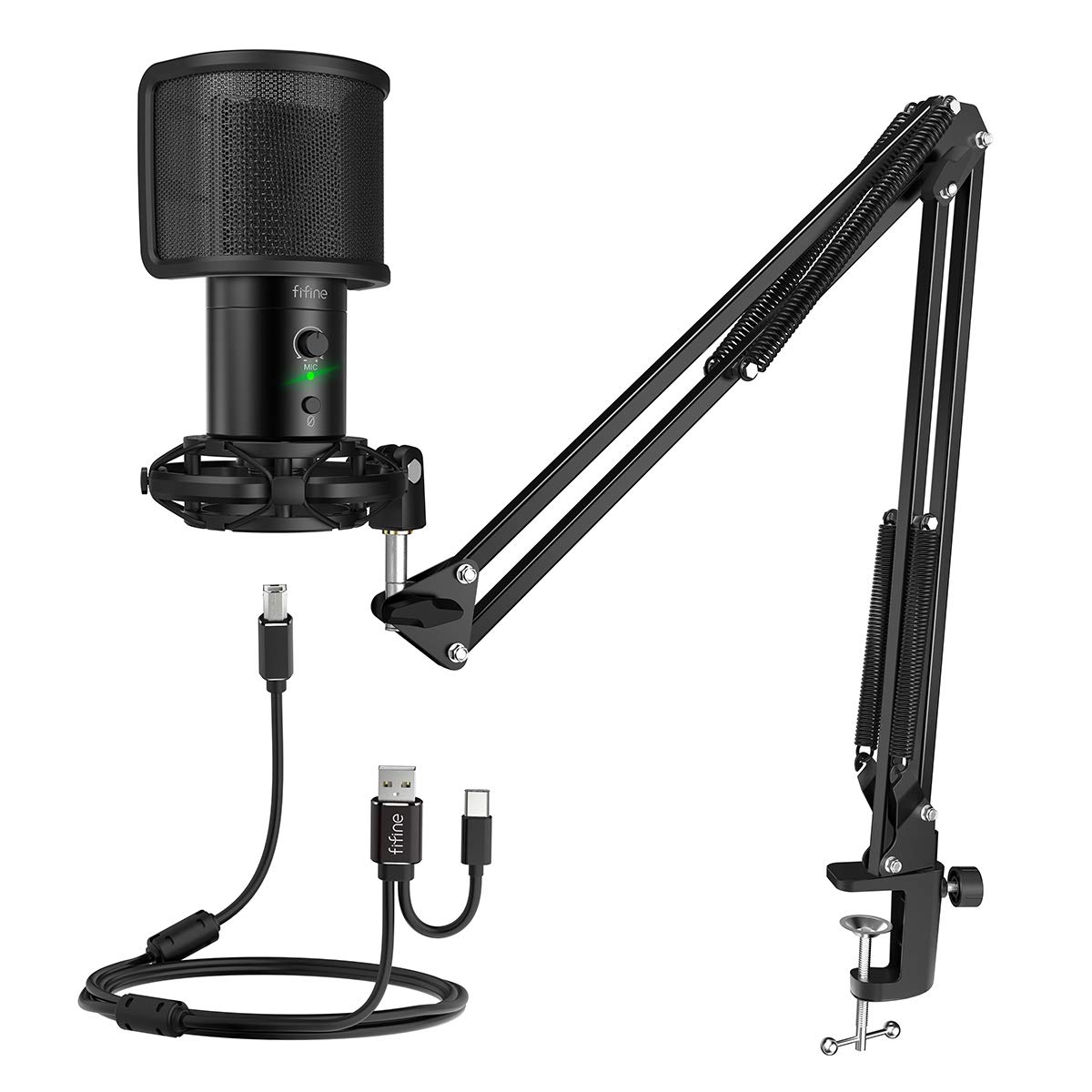
- The adjustable arm can swivel for microphone positioning.
- Mute, gain, and headphone monitoring are included.
- The package includes pop filter, shock mount, and table mount.
Best For: Home-office users who want a boom arm, mute, gain, pop filter, and headphone monitoring in one kit.
FIFINE AmpliGame A8 USB Microphone
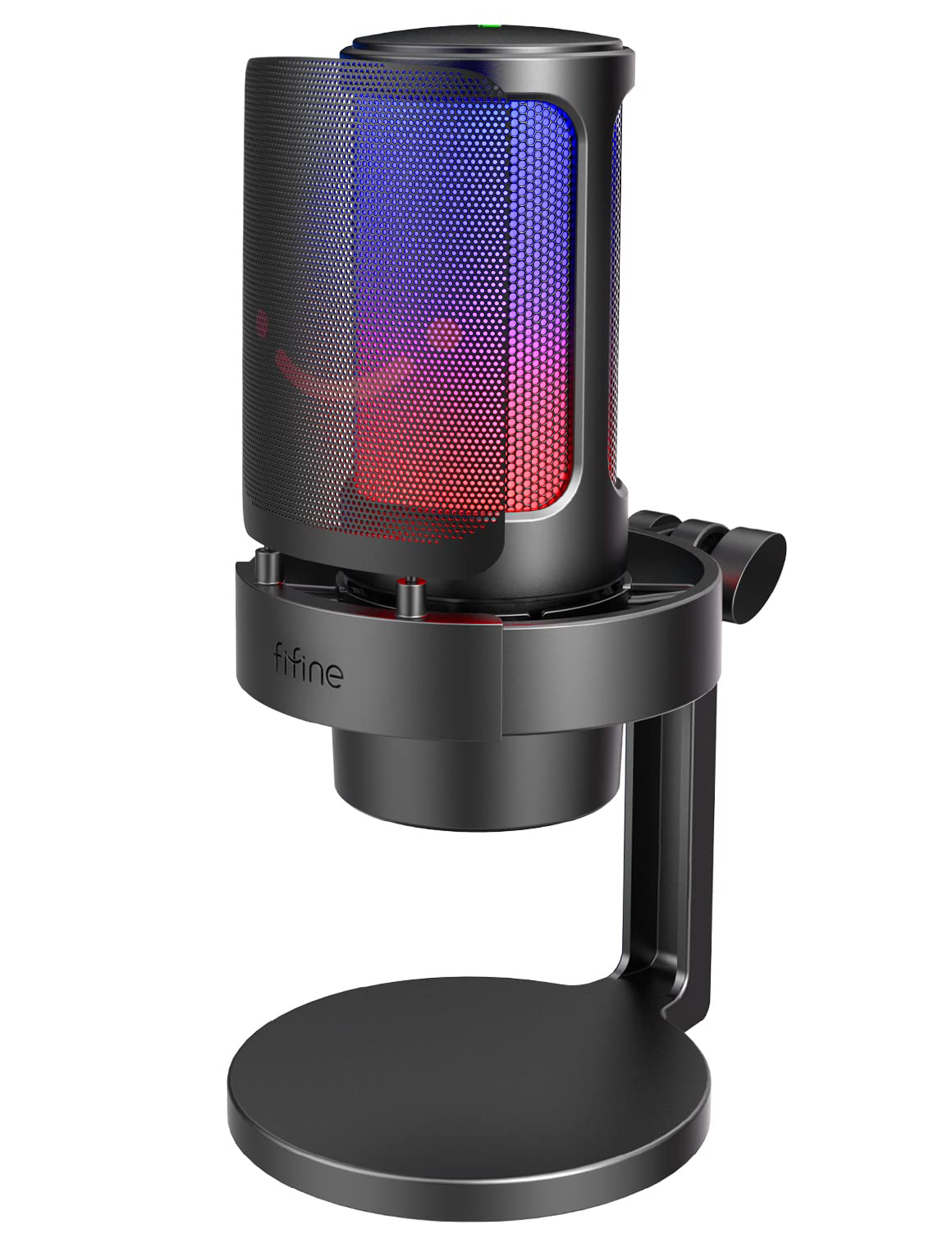
- Gain, mute, and headphone monitoring controls are built in.
- The cardioid pattern is designed to reduce PC fan or vent noise.
- Includes a pop filter and compact shock mount.
Best For: Callers who prefer a desktop stand and want gain, mute, headphone monitoring, and adjustable RGB.
FIFINE AmpliGame AM8T XLR/USB Set
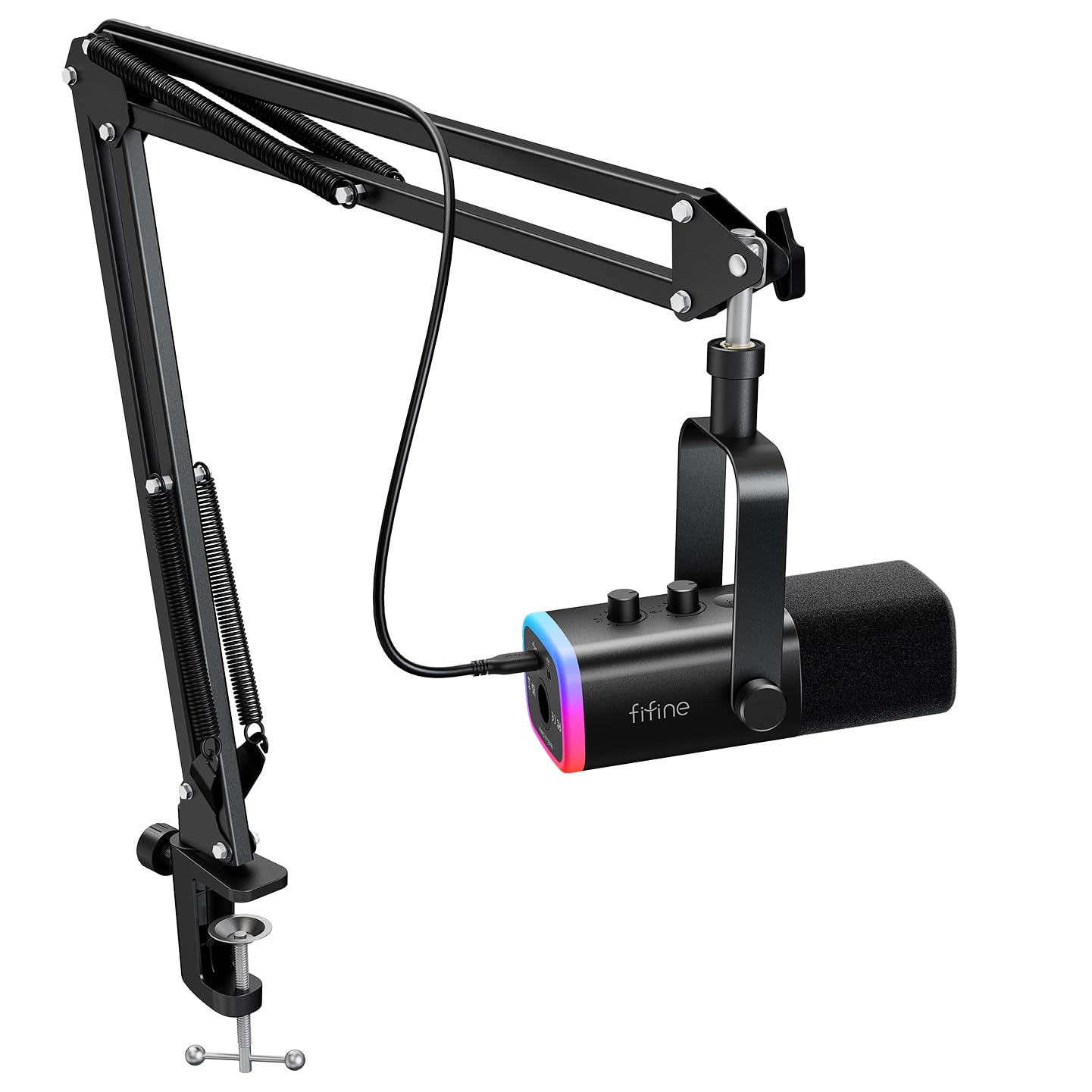
- USB supports plug-and-play use on a PC; XLR connects to a mixer or sound card.
- Includes a boom arm, C-clamp, and USB cable.
- Mute, gain, and headphone monitoring controls are included.
Best For: People who want a USB mic for calls now and the option to connect to an audio interface later.
SteelSeries Alias USB Microphone
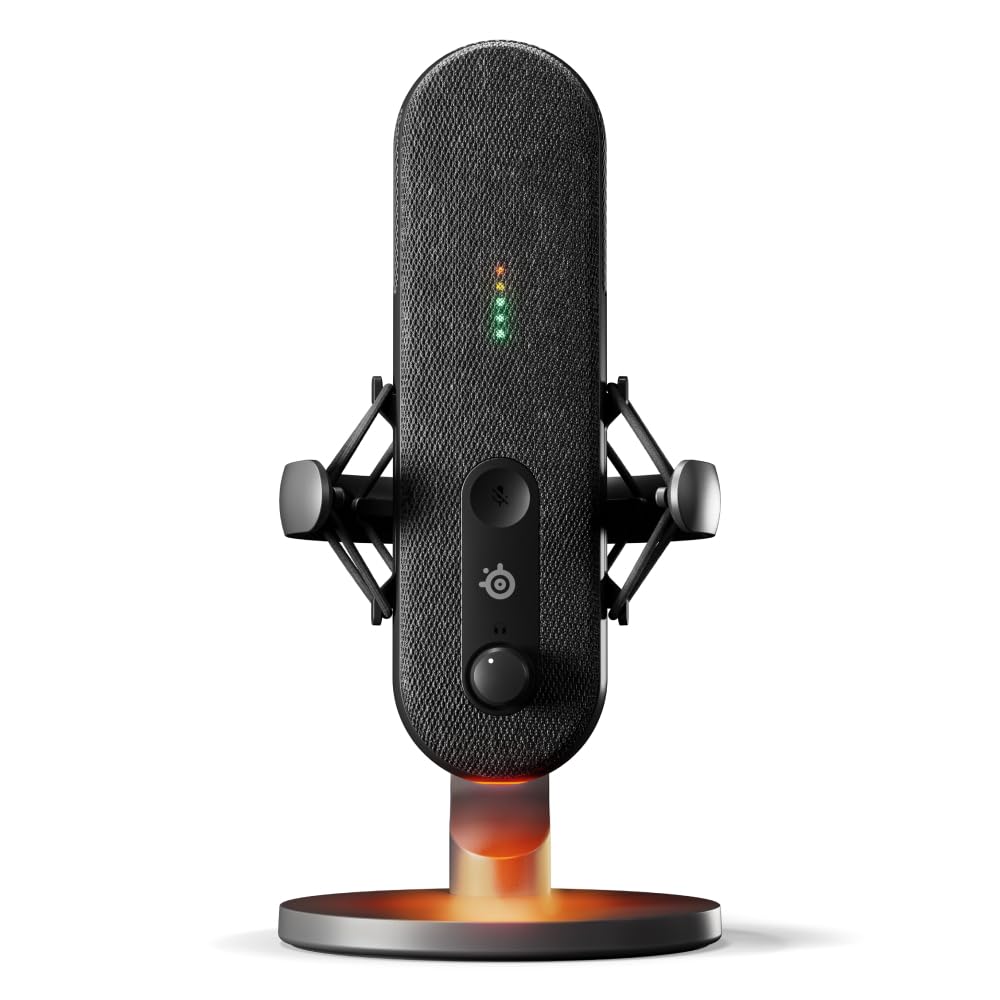
- Sonar software includes mixing, app routing, and AI noise cancellation.
- LED lighting shows audio level and mute status.
- An integrated shock mount reduces unwanted vibrations.
Best For: Streamers and frequent callers who want a USB mic with level indicators and software audio tools.
Samson Meteor Mic USB Condenser Microphone
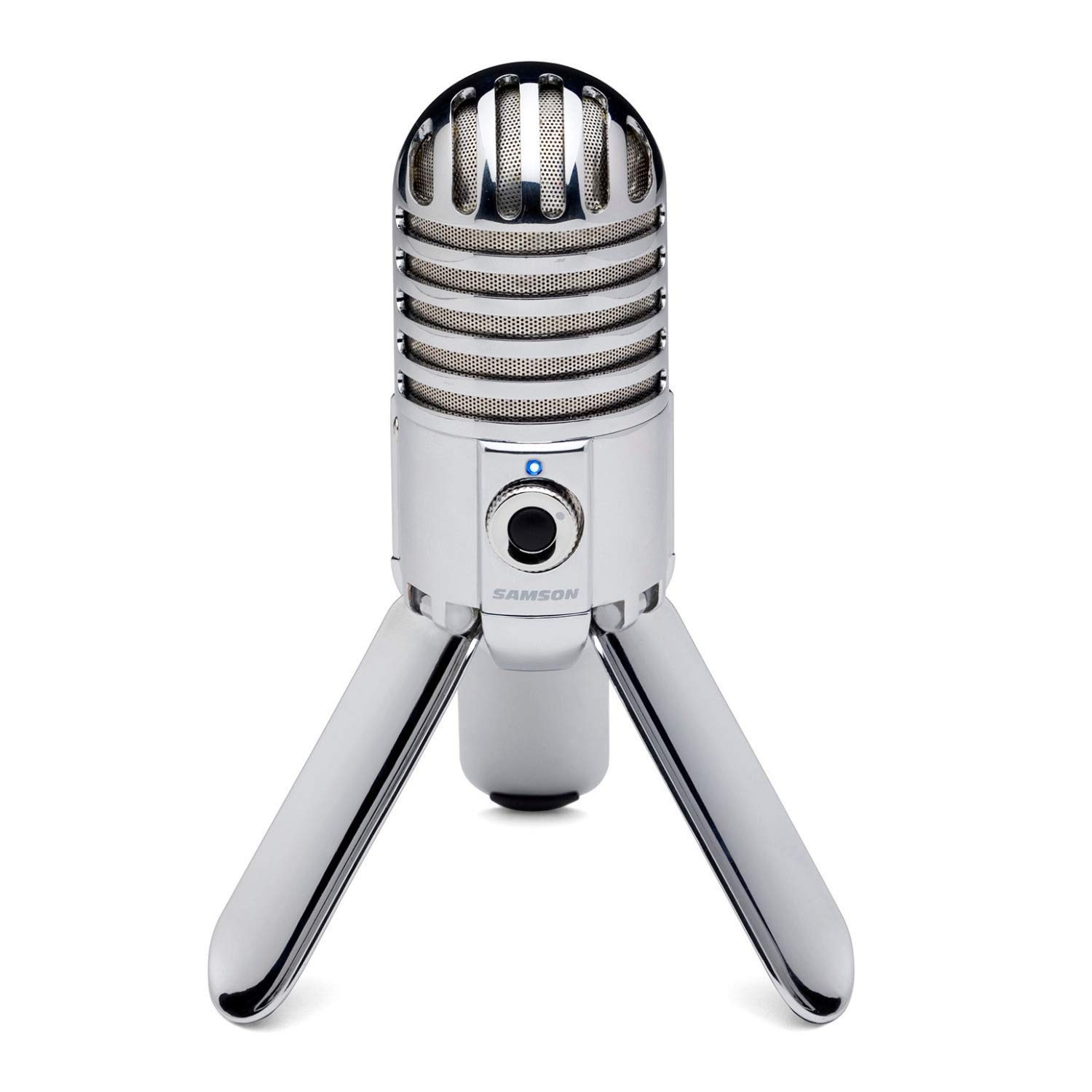
- Fold-back legs provide positioning and easier transport.
- The cardioid pattern captures sound in front while minimizing ambient sound.
- A headphone output supports zero-latency monitoring.
Best For: People who move between workspaces and want a USB mic with foldable legs and headphone monitoring.
Call-Ready Controls
FIFINE USB Desktop PC Microphone with Pop Filter for Computer and Mac, Studio Condenser Mic with Gain Knob Mute Button Headphone Jack for Gaming Streaming Recording YouTube, Extra USB-C Plug-K683A
The FIFINE K683A is a straightforward USB desktop microphone with practical call controls on the mic itself. Its gain knob can help adjust input level, while the mute button gives a quick way to silence yourself during a meeting.
A headphone jack supports real-time monitoring, and the included pop filter can soften plosive sounds. The foldable tripod stand keeps the setup compact on a desk.
It connects to Mac and Windows computers as well as PS4, but it is incompatible with Xbox. This is a useful choice for calls and occasional recording when you want a self-contained desktop setup without a separate boom arm.
Best For: People who want gain, mute, and headphone monitoring close at hand for computer meetings.
| Pros | Cons |
|---|---|
|
|
Choose the K683A if you want call controls and monitoring on a mic that can sit directly on your desk. The cardioid condenser design is intended to focus on the speaker in front, and the pop filter addresses sharp consonant sounds.
Its included stand is compact, but it does not provide the reach of a boom-arm kit. Check that your computer has USB-A or USB-C available and that a tripod position works for your workspace.
Simple, Low-Cost USB Setup
FIFINE USB Microphone, Metal Condenser Recording Microphone for MAC OS, Windows, Cardioid Laptop Mic for Recording Vocals, Voice Overs, Streaming, Meeting and YouTube Videos-K669B
The FIFINE K669B keeps the setup simple: connect its USB cable to a computer, place the mic on its tripod, and use the volume knob for a quick level adjustment. Its cardioid condenser capsule focuses on voice from the front, which fits one-person video calls.
The metal body and tripod make it a desk-based option, while compatibility includes desktop and laptop computers and PS4 or PS5. It does not include a dedicated mute button or headphone-monitoring jack in the supplied details, so it suits callers who can manage those tasks through their meeting app and computer.
Xbox and phones are not compatible.
Best For: Budget-minded callers who want a basic USB mic with a desktop tripod and onboard volume knob.
| Pros | Cons |
|---|---|
|
|
This is a practical pick for a caller who wants to move beyond a computer's built-in mic with minimal setup. The tripod keeps it on the desk, and the volume knob avoids digging through settings for every adjustment.
The supplied details do not include a physical mute switch or headphone jack, so check whether your conferencing app's controls are enough. It also connects directly by USB, so confirm your computer has a compatible port.
Noise-Control Button for Windows
MAONO USB Gaming Microphone for PC, Noise Cancellation Condenser Mic with RGB, Mute, Gain, Computer Desk Mic for Streaming, Podcast, Chat, Twitch, YouTube, Discord, PS5, PS4, GamerWave DGM20 Black
The MAONO DGM20 combines a USB desktop setup with a one-key noise-cancellation function and cardioid pickup aimed at voice in front of the mic. Its noise-reduction software offers adjustable smart cancellation on Windows, making this a particularly relevant option for a home office where fans or other background sounds are a concern.
A gain knob and mute button are available on the microphone, and a 3.5 mm headphone jack supports real-time listening. The included cable supports USB and USB-C connections.
The product details mention PC, Mac, and PS5 compatibility, but the software noise-cancellation feature is Windows-only, so platform needs matter.
Best For: Windows users who want a USB mic with adjustable noise cancellation and a headphone-monitoring jack.
| Pros | Cons |
|---|---|
|
|
Pick the DGM20 if your main concern is managing background noise from a Windows computer and you want a physical mute and gain control. It also supports headphone monitoring, which can help you hear how your voice sounds during a call.
Its software-based noise-cancellation feature is limited to Windows, so Mac users should not count on that control. Confirm what stand or mounting hardware you need, since that detail is not supplied.
Flexible Reach with Boom Arm
FIFINE Gaming PC USB Microphone, Podcast Condenser Mic with Boom Arm, Pop Filter, Mute Button for Streaming, Twitch, Online Chat, RGB Computer Mic for PS4/5 PC Gamer Youtuber-AmpliGame A6T
The FIFINE AmpliGame A6T comes as a USB condenser mic kit with a boom arm, pop filter, and shock mount. The arm can bring the microphone nearer to your speaking position, then fold away to free desk space.
Its cardioid pattern focuses on front-facing voice, while the mic has a touch-mute button and a volume knob for quick adjustments. The package includes an 8.2-foot USB-C to USB-A/C cable and a C-clamp for desks up to 2 inches thick.
It works with Windows, Mac OS, and PS4 or PS5, making it convenient for a home office that also serves as a gaming or recording station.
Best For: Callers who want to bring a USB mic closer to their voice and fold it away after meetings.
| Pros | Cons |
|---|---|
|
|
The A6T suits a caller who needs a flexible mic position and wants to clear the desk between calls. Its boom arm, shock mount, and pop filter give more placement options than a fixed tripod mic, though the clamp has a stated desktop thickness limit.
The mute and volume controls are on the mic, but monitoring through headphones is not specified. Check both the clamp fit and whether your computer has an appropriate USB port before choosing it.
Complete Arm-Mount Call Kit
FIFINE USB Gaming Streaming Microphone Kit for PC Computer, Condenser Mic Set with Arm Stand Mute Button & Gain, Mic Studio Bundle for Podcast Recording Twitch Discord YouTube Zoom, USB C & A -T683
The FIFINE T683 is a USB condenser kit built around an adjustable arm stand, which helps position the mic near the speaker rather than taking up the middle of a desk. It includes a pop filter and shock mount, plus a mute button, gain control, and headphone jack for real-time monitoring.
The supplied notes say it works with Mac, PS4, and Windows PCs and does not require phantom power. Its USB cable is 6.6 feet long, and the table mount fits desks up to 2 inches thick.
This is a practical all-in-one option for calls and occasional streaming, provided the desk edge can accept its clamp.
Best For: Home-office users who want a boom arm, mute, gain, pop filter, and headphone monitoring in one kit.
| Pros | Cons |
|---|---|
|
|
Choose the T683 if you want the mic, arm, pop filter, shock mount, and monitoring features together. The arm can keep the mic positioned close to your voice and out of the way when not in use.
Compared with a simple desktop tripod, it needs a suitable desk edge for its clamp, and it does not support Xbox. Check the available USB port and desk thickness before buying.
Compact Stand with On-Mic Monitoring
FIFINE Gaming Microphone, USB PC Mic for Streaming, Podcasts, Recording, Condenser Computer Desktop Mic on Mac, with RGB Control, Mute Touch, Headphone Jack, Pop Filter, Stand-AmpliGame A8
The FIFINE AmpliGame A8 is a USB condenser desktop mic with controls for gain and mute, plus a 3.5 mm headphone jack for checking audio while connected. It comes with a stand, shock mount, and metal pop filter, which can help limit plosive sounds and desk vibration without requiring an arm clamp.
The cardioid pickup pattern is intended to reduce surrounding noise and emphasize voice in front. The mic is plug-and-play for PC, Mac, and PS5, making it usable for work calls as well as streaming.
Its RGB controls and lighting are extras; the more relevant call features are the physical controls and monitoring jack.
Best For: Callers who prefer a desktop stand and want gain, mute, headphone monitoring, and adjustable RGB.
| Pros | Cons |
|---|---|
|
|
The A8 makes sense for someone who wants an uncomplicated desktop mic but still values direct gain, mute, and headphone controls. The stand avoids a clamp, while the shock mount and pop filter can help reduce handling noise and plosives.
Its stated placement guidance is 6 to 12 inches, so leave enough space on the desk to position it comfortably. Check the included cable length if your computer sits farther away.
USB Convenience with XLR Upgrade Path
FIFINE XLR/USB Gaming Microphone Set, Dynamic PC Mic for Streaming Podcasting, Computer RGB Mic Kit with Boom Arm Stand, Mute Button, Headphones Jack, for Recording Vocal Voice-Over-AmpliGame AM8T
The FIFINE AmpliGame AM8T is a dynamic microphone set with USB and XLR connectivity, giving it a direct computer connection for everyday calls and a route to a mixer or sound card for a more involved setup. It includes a boom arm stand, C-clamp, and USB cable, plus mute and gain controls and a headphone jack for monitoring.
The cardioid pattern is designed to limit background pickup, and the arm helps position the mic close to the speaker. Note that an XLR cable is not included, so using that connection requires an additional cable.
The clamp fits desks less than 2 inches thick.
Best For: People who want a USB mic for calls now and the option to connect to an audio interface later.
| Pros | Cons |
|---|---|
|
|
Pick the AM8T if you want the convenience of USB for calls but value having XLR connectivity available for a later setup. Its boom arm helps position the dynamic mic near your voice and the headphone jack supports monitoring.
The XLR path has an extra cable requirement, and the desk clamp has a thickness limit. If you only need a simple desktop mic, its upgrade flexibility may be more than you need.
Software-Aided Voice Monitoring
SteelSeries Alias USB Mic for PC — 3x Bigger Capsule for Gaming, Streaming and Podcasting — Sonar for Streamers Audio Software — AI Noise Cancelling — LED Mute & Level Monitoring — Shock Mount
The SteelSeries Alias is a USB microphone for PC with a cardioid pattern, an integrated shock mount, and LED indicators for level and mute status. Its Sonar software adds mixing, app routing, and AI noise cancellation, which can help people who manage several audio sources alongside calls.
The larger capsule is a design feature, while the practical desk details include a desktop stand and compatibility with a boom arm sold separately. RGB lighting is included as an aesthetic feature.
This option is aimed at a more software-centered workspace than a basic plug-in desktop microphone; check your willingness to configure Sonar and whether the included stand works with your available desk space.
Best For: Streamers and frequent callers who want a USB mic with level indicators and software audio tools.
| Pros | Cons |
|---|---|
|
|
Choose the Alias if call audio is part of a broader PC audio workflow and Sonar's mixing and routing tools are useful to you. The LEDs make level and mute status visible, and the integrated shock mount addresses vibration.
It is less suited to buyers who want a physical arm included or prefer not to configure software. Check the included desktop stand placement and plan on a separate boom arm if that is how you work.
Foldaway Portable USB Mic
Samson Meteor Mic USB Condenser Podcasting Podcast Recording Desktop Microphone
The Samson Meteor Mic is a compact USB condenser microphone with fold-back legs that allow it to pack down for transport. Its cardioid pickup pattern is designed to capture audio in front while minimizing ambient sound, and the headphone output supports zero-latency monitoring.
A level control and zinc die-cast body round out the desk setup. The supplied details also note use with an iPad through Apple's Lightning USB Camera Adapter or Camera Connection Kit.
This mic suits a mobile workstation or occasional call setup, though the included details do not mention an onboard mute button, so call muting may need to happen in software.
Best For: People who move between workspaces and want a USB mic with foldable legs and headphone monitoring.
| Pros | Cons |
|---|---|
|
|
The Meteor Mic suits someone who alternates between a home desk and another workspace and wants a mic that folds for transport. Its headphone output and cardioid pickup are useful for call monitoring and focused speech.
It has a level control, but a dedicated mute control is not specified, so consider whether your conferencing software provides the quick mute you need. Confirm cable needs and the required adapter if you plan to use it with an iPad.
How to Choose Microphones For Video Calls
How We Picked Microphones for Video Calls
We favored microphones that connect directly to a computer and offer practical call features such as mute, gain adjustment, and headphone monitoring. The selections cover several desk arrangements: compact tripod models, kits with an adjustable boom arm, and USB/XLR microphones for people who may expand to audio equipment later.
We also considered whether a mic has features that address common home-office needs. Cardioid pickup appears across several options, while the MAONO DGM20 adds Windows-only software noise cancellation and the SteelSeries Alias offers PC audio routing through Sonar.
Compatibility, mount requirements, and stated exclusions such as Xbox support also affect whether a model fits a particular setup.
Comparing Microphones for Video Calls
The most direct choices for routine calls are USB microphones with controls on the device. The FIFINE K683A combines gain, mute, and monitoring in a desktop format; the K669B is simpler, with a volume knob and tripod.
The MAONO DGM20 adds Windows noise-cancellation software, while the FIFINE A8 and T683 include monitoring and additional noise-management accessories.
Mounting is a practical difference. The A6T and T683 include boom arms that can move toward the speaker and clear away from the desk, while the K683A, K669B, and A8 use desktop stands.
The AM8 and AM8T offer USB and XLR connections, but check what mounting parts come with the exact model and whether your desk accepts its clamp. The SteelSeries Alias includes a desktop stand; its boom arm is separate.
The comparison table below summarizes the selected models and their distinguishing features.
| Product | Standout features | Best for |
|---|---|---|
| FIFINE K683A USB Desktop MicrophoneCheck Price |
| People who want gain, mute, and headphone monitoring close at hand for computer meetings. |
| FIFINE K669B USB MicrophoneCheck Price |
| Budget-minded callers who want a basic USB mic with a desktop tripod and onboard volume knob. |
| MAONO DGM20 USB Gaming MicrophoneCheck Price |
| Windows users who want a USB mic with adjustable noise cancellation and a headphone-monitoring jack. |
| FIFINE AmpliGame A6T USB Gaming Microphone KitCheck Price |
| Callers who want to bring a USB mic closer to their voice and fold it away after meetings. |
| FIFINE T683 USB Microphone KitCheck Price |
| Home-office users who want a boom arm, mute, gain, pop filter, and headphone monitoring in one kit. |
| FIFINE AmpliGame A8 USB MicrophoneCheck Price |
| Callers who prefer a desktop stand and want gain, mute, headphone monitoring, and adjustable RGB. |
| FIFINE AmpliGame AM8T XLR/USB SetCheck Price |
| People who want a USB mic for calls now and the option to connect to an audio interface later. |
| SteelSeries Alias USB MicrophoneCheck Price |
| Streamers and frequent callers who want a USB mic with level indicators and software audio tools. |
| Samson Meteor Mic USB Condenser MicrophoneCheck Price |
| People who move between workspaces and want a USB mic with foldable legs and headphone monitoring. |
Choosing a USB Mic and Desk Position
USB is the simplest path for most computer calls because several picks are plug-and-play and connect directly to a PC or Mac. Verify whether your device needs USB-A or USB-C, and check each model's compatibility notes.
Some controls and extras depend on the connection: the AM8's RGB and controls are USB-only, and the DGM20's adjustable noise-cancellation software is Windows-only.
Position matters alongside the microphone itself. A cardioid mic should face the speaker, and some models include guidance on close placement.
A boom arm can bring the capsule nearer without occupying the center of the desk, while a tripod is quicker to place but takes up surface space. For clamp-mounted kits, confirm desk thickness before ordering.
Mute, Monitoring, and Background Noise
A physical mute button is convenient when a call is interrupted, especially if you want a clear status indicator. The K683A, A6T, T683, A8, and DGM20 offer direct mute controls.
The K669B has a volume knob, but a dedicated mute button is not specified in its supplied details, so plan to use the conferencing app if needed.
Headphone monitoring can help you check your microphone level and hear how your voice comes through. The K683A, T683, A8, DGM20, and AM8T list headphone connections or monitoring.
Noise control takes different forms: a cardioid pattern focuses on sound in front, pop filters address plosives, shock mounts reduce vibration, and software processing can target other background noise. These features serve different purposes, so consider the sound sources and control you need.
Who Should Buy Which Video-Call Microphone?
For a basic desktop setup with mute, gain, and monitoring, consider the FIFINE K683A. Choose the K669B if a simple USB connection and physical volume knob matter more than a listed hardware mute.
The DGM20 is a more tailored option for Windows users who want adjustable noise cancellation.
Pick the A6T or T683 if you want an included arm to position the mic and clear desk space; the T683 also lists gain, mute, and headphone monitoring. The A8 is a stand-mounted alternative with similar controls.
If you want XLR flexibility, the AM8T has an included arm and USB/XLR connection, while the AM8 requires you to verify its mounting hardware. The SteelSeries Alias suits a PC workflow where Sonar tools are useful, and the Meteor Mic fits users who value foldaway portability and headphone monitoring.