This Samson Q2U review looks at a handheld dynamic microphone built for flexible computer and XLR recording. Its included desktop stand and cables make it a practical fit for creators assembling a basic recording setup.
Samson Q2U Microphone Review Summary
The quick verdict

5,000+ ratings
Read Amazon ReviewsSamson Q2U
A practical starter option for podcasters and creators who want USB-C and XLR connections with desktop recording accessories included.
- Dynamic handheld microphone with USB-C and XLR connections.
- Plugs directly into a computer with a USB-C interface.
- Includes a tripod desktop stand and tripod extension.
- Package includes a microphone clip and windscreen.

Pros
- Offers both USB-C and XLR connection options.
- Can connect directly to a computer with a USB-C interface.
Consider before buying
- For a computer connection, the straightforward plug-in option depends on having a USB-C interface.
- Buyers who already have a desktop stand and both cable types may have less use for several included accessories.
Read the full review summary
The Q2U combines USB-C and XLR connections, so it can plug directly into a computer with a USB-C interface or fit into a setup using an XLR connection.
That flexibility suits new podcasters, home recording users, and creators who may want more than one connection option.
The package includes a tripod desktop stand, extension, clip, windscreen, and both USB-C and XLR cables.
Buyers who want a ready-to-place desktop arrangement may appreciate the bundled parts, while those who already own a stand and cables may find some of the pack less useful.
The buying factors
Samson Q2U Microphone Scorecard
Editorial scores reflect listed features and buyer fit; they are not laboratory measurements or customer ratings.
Connection flexibility
USB-C and XLR connections support a computer-ready setup and a conventional XLR path as recording needs change.
Computer setup
Direct connection to a computer with a USB-C interface keeps the basic digital setup straightforward.
Included accessories
The stand, extension, clip, windscreen, and two cables give buyers several useful pieces for a desktop recording setup.
Handheld versatility
A dynamic handheld design can work for users who prefer to hold the microphone or place it on the supplied desktop stand.
Recording workflow
Its dynamic handheld design and included tripod stand, extension, mic clip, windscreen, and cables offer a flexible starting setup for recording; check that the USB-C or XLR connection fits your setup.
Key Features and Specifications of Samson Q2U Microphone
- Dynamic handheld microphone with USB-C and XLR connections.
- Plugs directly into a computer with a USB-C interface.
- Includes a tripod desktop stand and tripod extension.
- Package includes a microphone clip and windscreen.
- USB-C and XLR cables are included.
Pros and Cons of Samson Q2U Microphone
Pros
- Offers both USB-C and XLR connection options.
- Can connect directly to a computer with a USB-C interface.
- Includes a desktop stand, extension, clip, and windscreen.
- Both USB-C and XLR cables come in the package.
Consider before buying
- For a computer connection, the straightforward plug-in option depends on having a USB-C interface.
- Buyers who already have a desktop stand and both cable types may have less use for several included accessories.
- If your desk setup needs a different mounting arrangement, check that the included tripod stand suits your placement before buying.
Who Should Buy Samson Q2U Microphone?
Good fit
Consider the Q2U if you want a handheld dynamic microphone that can connect over USB-C or XLR.
The direct computer connection is useful for buyers whose computer has a USB-C interface and who want to get a basic recording setup in place.
It is also a sensible fit if you need several small setup items in one package.
The stand, extension, clip, windscreen, and both cable types give a new creator a starting point for desktop recording without sourcing each item separately.
Who should skip it
Skip it if your computer lacks a USB-C interface and you are choosing it mainly for the direct computer connection; check that your intended connection path is compatible first.
It may be a poor fit if you specifically want built-in workflow controls, since the supplied feature details center on connections and included accessories. Confirm the controls you need before choosing a microphone.
Samson Q2U Microphone: Practical Setup and Connection Flexibility
USB-C for a direct computer setup
The Q2U's USB-C connection is aimed at a simple computer recording path, with direct connection available on computers that have a USB-C interface.
That makes compatibility the first practical check for buyers planning to record straight to a computer.
XLR for a flexible recording path
Having XLR alongside USB-C gives the microphone a second connection option. That can suit buyers who want to use a computer connection now and preserve the option of incorporating an XLR setup into their recording arrangement.
A useful desktop accessory bundle
The included tripod stand and extension help position the microphone on a desk, while the clip, windscreen, and cables round out the package. Buyers should still consider whether the supplied stand fits their intended placement.
Handheld form with a desktop role
The handheld format gives the Q2U a portable form, while the included stand supports desk use.
This mix makes it adaptable for creators who may record at a desk but want a microphone they can also hold during use.
Alternatives to Samson Q2U Microphone
Multipurpose Dynamic Microphones alternative
600+ ratings
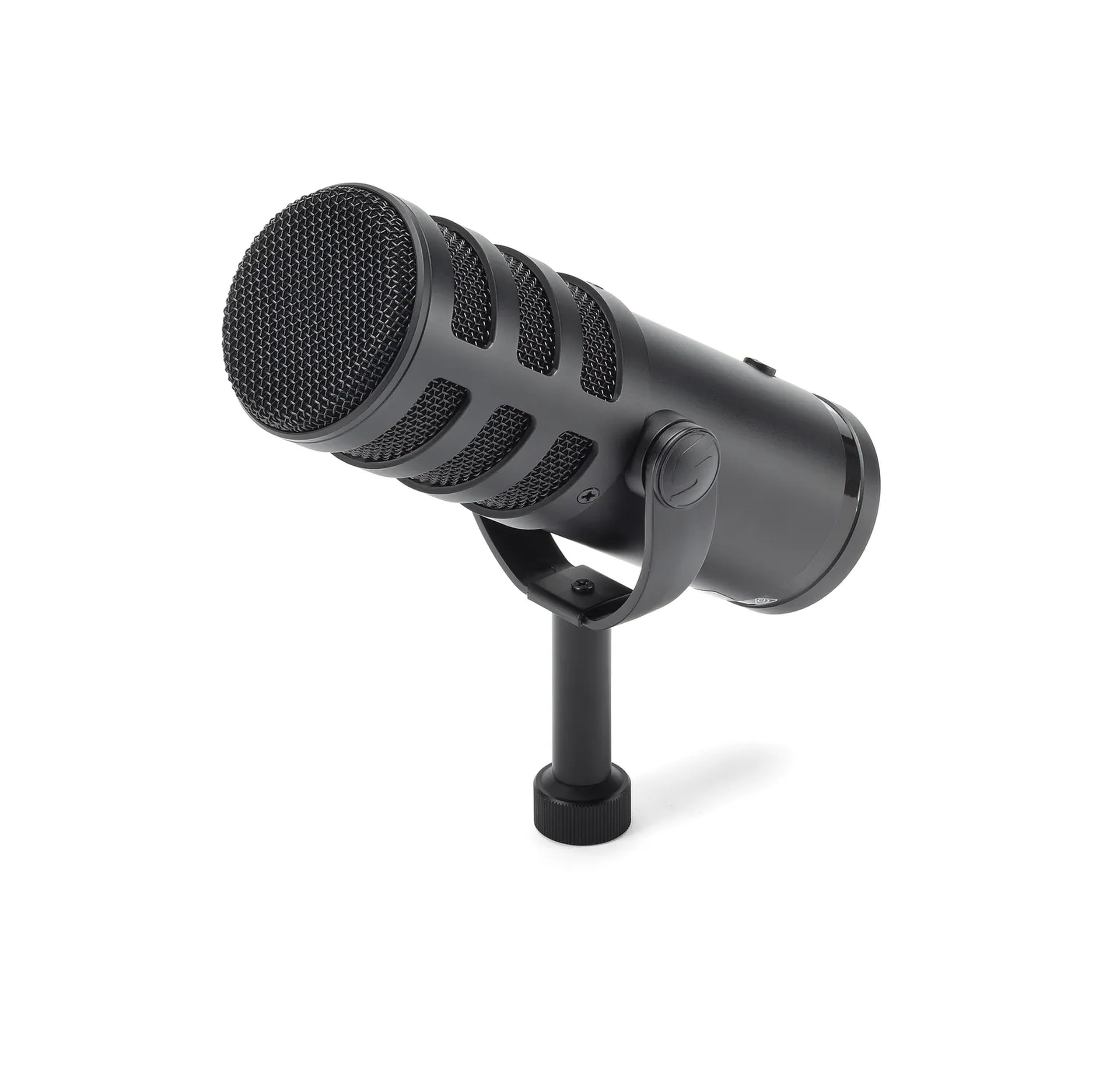
Read Amazon ReviewsSAMSON Q9U XLR/USB Dynamic Broadcast Microphone
Choose the Q2U if the handheld form and included desktop stand and cables suit your setup; choose the Q9U if you prefer headphone monitoring and an onboard mute switch for a broadcast workflow.
- The Q9U has USB-C and XLR connections, zero-latency headphone monitoring, and an onboard mute switch that silences both outputs.
- Its feature set is aimed at buyers who want monitoring and quick mute control in a broadcast microphone.
- The Q2U pairs USB-C and XLR with a handheld design and an included desktop stand, cables, clip, and windscreen.
- It suits buyers who value those bundled setup items alongside connection flexibility.
Multipurpose Dynamic Microphones alternative
11,000+ ratings
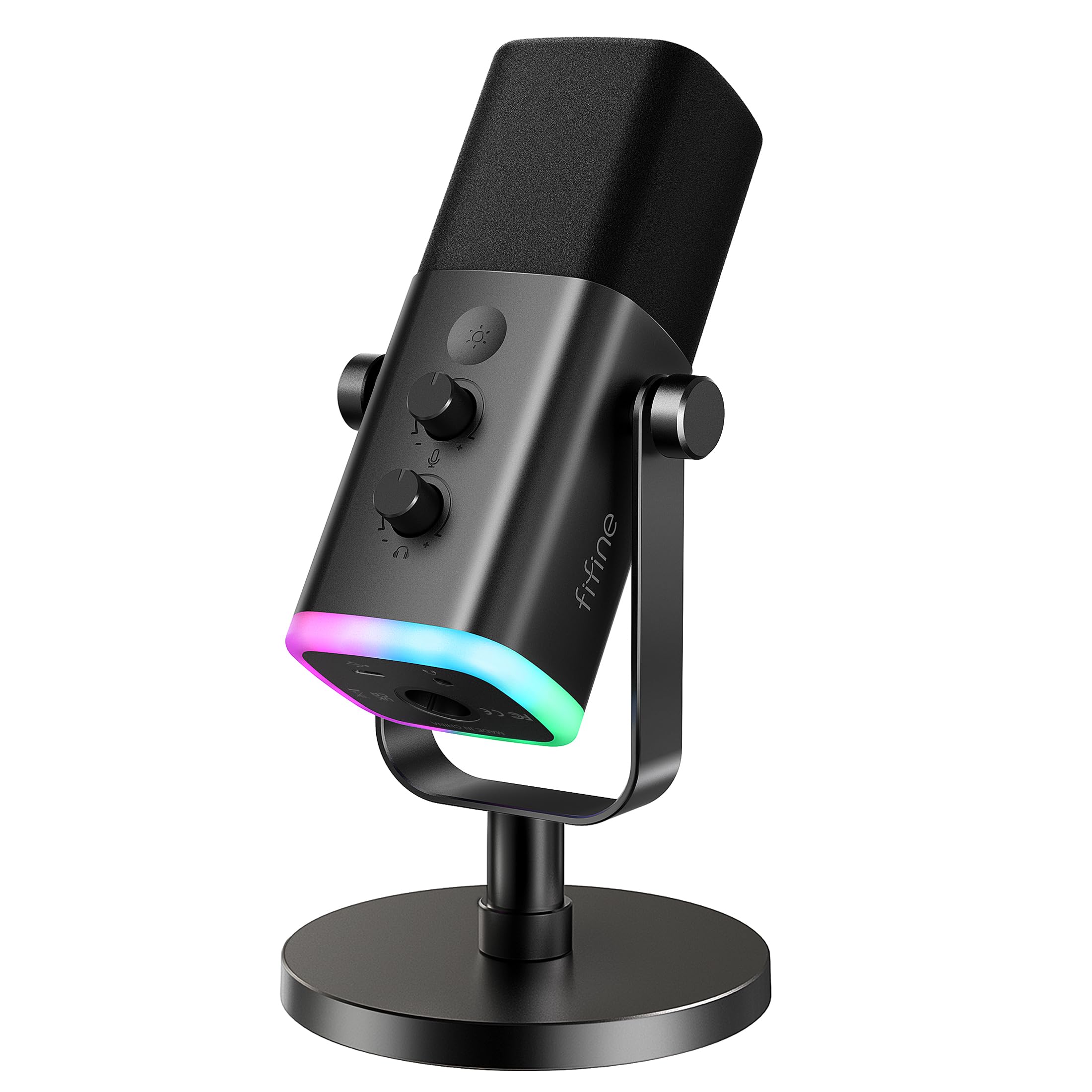
Read Amazon ReviewsFIFINE USB/XLR Dynamic Microphone AmpliGame AM8
Pick the Q2U for its included desktop accessories and USB-C computer connection; consider the AM8 if tap-to-mute, headphone monitoring, and RGB controls over USB better match a gaming or streaming setup.
- The AM8 focuses on USB gaming and streaming controls, including tap-to-mute, a headphone jack, and controllable RGB lighting.
- Its RGB and function keys work only over USB, making connection mode relevant to buyers who want those controls.
- The Q2U offers USB-C and XLR connections plus a desktop stand, clip, windscreen, and both cable types.
- It is a straightforward option for buyers who value those accessories and a direct computer connection through USB-C.
Is Samson Q2U Microphone Worth It?
The Samson Q2U is worth considering for buyers who want a handheld dynamic microphone with USB-C and XLR flexibility and a useful set of desktop recording accessories.
Its direct computer connection is a good fit when your computer has a USB-C interface.
Before buying, make sure the USB-C interface suits your computer and that the bundled tripod stand fits your preferred desk placement.
For creators whose priorities are connection flexibility and an included starter set of accessories, the Q2U is a practical, adaptable choice.
Your review at a glance
5,000+ ratings
Read Amazon ReviewsSamson Q2U
A practical starter option for podcasters and creators who want USB-C and XLR connections with desktop recording accessories included.
- Dynamic handheld microphone with USB-C and XLR connections.
- Plugs directly into a computer with a USB-C interface.
- Includes a tripod desktop stand and tripod extension.
- Package includes a microphone clip and windscreen.